---
metadata:
  - name: generator
    content: Diplodoc Platform v5.54.1
alternate:
  - https://alice.yandex.ru/support/ru/button/index.md
  - href: ru/button/index.md
    type: text/markdown
    title: Markdown version
  - href: llms.txt
    type: text/markdown
    title: llms.txt
title: Умная беспроводная кнопка Яндекса — Справка
description: Здесь вы найдете ответы на все частые вопросы про беспроводную кнопку Яндекса. Характеристики, решение проблем, способы управления и обзор всех функций умной беспроводной кнопки.
---
> **Documentation Index:** Fetch the complete configuration index at https://alice.yandex.ru/support/ru/llms.txt


<!-- source: ru/_includes/reusables/neuroexpert-button.md -->


<!-- endsource: ru/_includes/reusables/neuroexpert-button.md -->


<div class="container-galery">
  <div class="doc-c-imagemaps">
      <div class="doc-c-imagemaps__image">
          <img  src="https://yastatic.net/s3/doc-binary/src/support/sensors/button/index-button.png">
          <a class="doc-c-imagemaps__shape" title="Подключить кнопку" href="ru/button/turn-on/index" style="top: 75.1096%; left: 8.57143%; height: 3.50877%; width: 40.5714%;"></a>
          <a class="doc-c-imagemaps__shape" title="Где разместить" href="ru/button/where" style="top: 82.6754%; left: 8.57143%; height: 3.61842%; width: 31.8571%;"></a>
          <a class="doc-c-imagemaps__shape" title="Как пользоваться" href="ru/button/how-use" style="top: 90.5702%; left: 8.57143%; height: 3.39912%; width: 36%;"></a>
      </div>
  </div>
  <div class="doc-c-imagemaps">
      <div class="doc-c-imagemaps__image">
          <img src="https://yastatic.net/s3/doc-binary/src/support/sensors/button/index-button-2.png">
          <a class="doc-c-imagemaps__shape" title="Кнопка не подключается" href="ru/button/troubleshooting/not-connect" style="top: 45.0658%; left: 8.57143%; height: 3.61842%; width: 50.5714%;"></a>
          <a class="doc-c-imagemaps__shape" title="Настроить заново" href="ru/button/troubleshooting/reconnect" style="top: 52.6316%; left: 8.57143%; height: 3.72807%; width: 47.1429%;"></a>
          <a class="doc-c-imagemaps__shape" title="Другие проблемы" href="ru/button/troubleshooting" style="top: 69.5175%; left: 8.57143%; height: 10.636%; width: 80.2857%;"></a>
          <a class="doc-c-imagemaps__shape" title="Чат поддержки" href="https://yandex.ru/chat?context=%7B%22entrypoint%22%3A%22%7B%5C%22entrypoint%5C%22%3A%5C%22help%5C%22%2C%5C%22page_url%5C%22%3A%5C%22smarthome%5C%22%7D%22%7D#/user/bde37cf3-eb59-4f93-8e5b-1809858a9ac1" style="top: 83%; left: 8.57143%; height: 11.2939%; width: 80.5714%;"></a>
      </div>
  </div>
  <div class="doc-c-imagemaps">
      <div class="doc-c-imagemaps__image">
          <img src="https://yastatic.net/s3/doc-binary/src/support/sensors/button/index-3.png">
          <a class="doc-c-imagemaps__shape" title="" href="https://alice.yandex.ru/support/smart-home/index.html" style="top: 46.7606%; left: 9.42857%; height: 4.3662%; width: 32.5714%;"></a>
          <a class="doc-c-imagemaps__shape" title="" href="https://alice.yandex.ru/support/smart-home/scenarios/create.html" style="top: 56.4789%; left: 9.42857%; height: 4.50704%; width: 21.1429%;"></a>
          <a class="doc-c-imagemaps__shape" title="" href="https://alice.yandex.ru/support/smart-home/devices.html" style="top: 66.338%; left: 9.42857%; height: 4.64789%; width: 51.1429%;"></a>
          <a class="doc-c-imagemaps__shape" title="" href="https://alice.yandex.ru/support/smart-home/troubleshooting.html" style="top: 78.3099%; left: 9.42857%; height: 14.6479%; width: 80%;"></a>
      </div>
  </div>
  <div class="doc-c-imagemaps">
      <div class="doc-c-imagemaps__image">
          <img src="https://yastatic.net/s3/doc-binary/src/support/sensors/opening_sensor/index-4.png">
          <a class="doc-c-imagemaps__shape" title="" href="https://ya.cc/iot_app" style="top: 0%; left: 0%; height: 100%; width: 100%;"></a>
      </div>
  </div>
</div>


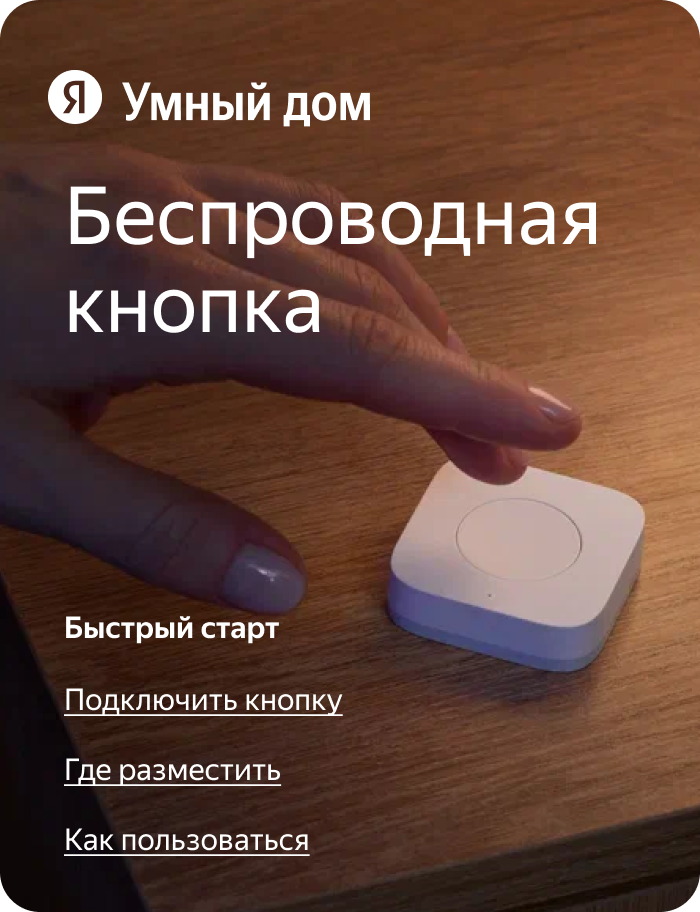
Купить беспроводную кнопку можно на [официальном сайте Алисы](https://alice.yandex.ru/smart-home/) или [у партнеров](*retail).

<!-- source: ru/button/_includes/linklist.md -->
#### Узнайте больше {#linklist}

- [Хаб для устройств](https://alice.yandex.ru/support/hub/index.html)
  
- [Все умные устройства Яндекса](https://alice.yandex.ru/support/index.html)
<!-- endsource: ru/button/_includes/linklist.md -->


[*retail]:
    {% include notitle [retail](../smart-home/_includes/common.md#retail) %}
{% included (../smart-home/_includes/common.md) %}

# Фразы для конрефов

#### {#not-solved-write}

Если вам не удалось решить проблему, обратитесь в службу поддержки.

#### {#retail}

- [Яндекс Маркет](https://market.yandex.ru/brands--umnyi-dom-yandexa/17333002?clid=2962288&vid=HelpPage&pp=900&mclid=1003&distr_type=7);

- [DNS](https://www.dns-shop.ru);

- [М.Видео](https://www.mvideo.ru);

- [Эльдорадо](https://www.eldorado.ru);

- [OZON](https://www.ozon.ru) и др.

#### {#filter}

- Все
- Устройства
- Сценарии
- Дома
- Комнаты
- Группы

#### {#troubleshooting-smart-home}


<div class="link-grid">

<div class="link-column">


**Вопрос про устройство Яндекса**

Выберите нужное устройство:{style="margin-left: 1em"}


<div class="device-row">

![Иконка Хаб Яндекса](../../_assets/device-card/smart-home/hub.png){height=24px}

[Хаб Яндекса](https://alice.yandex.ru/support/ru/hub/)

</div>

<div class="device-row">

![Иконка Камера](../../_assets/device-card/smart-home/ipcamera.png){height=24px}

[Камера](https://alice.yandex.ru/support/ru/ipcamera/)

</div>

<div class="device-row">

![Иконка Эмби-лампа](../../_assets/device-card/smart-home/ambient-lamp.png){height=24px}

[Эмби‑лампа](https://alice.yandex.ru/support/ru/ambient-lamp/)

</div>

<div class="device-row">

![Иконка Светодиодная лента](../../_assets/device-card/smart-home/led-strip.png){height=24px}

[Светодиодная лента](https://alice.yandex.ru/support/ru/led-strip/)
</div>

<div class="device-row">

![Иконка Лампочка](../../_assets/device-card/smart-home/lamp.png){height=24px}

[Лампочка](https://alice.yandex.ru/support/ru/lamp/)
</div>

<div class="device-row">

![Иконка Датчик присутствия](../../_assets/device-card/smart-home/presence-sensor.png){height=24px}

[Датчик присутствия](https://alice.yandex.ru/support/ru/presence-sensor/)
</div>

<div class="device-row">

![Иконка Датчик температуры](../../_assets/device-card/smart-home/climate-sensor.png){height=24px}

[Датчик температуры](https://alice.yandex.ru/support/ru/climate-sensor/)
</div>

<div class="device-row">

![Иконка Датчик движения](../../_assets/device-card/smart-home/motion-sensor.png){height=24px}

[Датчик движения](https://alice.yandex.ru/support/ru/motion-sensor/)
</div>

<div class="device-row">

![Иконка Датчик открытия](../../_assets/device-card/smart-home/opening-sensor.png){height=24px}

[Датчик открытия](https://alice.yandex.ru/support/ru/opening-sensor/)
</div>

<div class="device-row">

![Иконка Датчик протечки](../../_assets/device-card/smart-home/leak-sensor.png){height=24px}

[Датчик протечки](https://alice.yandex.ru/support/ru/leak-sensor/)
</div>

<div class="device-row">

![Иконка Диммер](../../_assets/device-card/smart-home/dimmer.png){height=24px}

[Диммер](https://alice.yandex.ru/support/ru/dimmer/)
</div>

<div class="device-row">

![Иконка Выключатель](../../_assets/device-card/smart-home/switch.png){height=24px}

[Выключатель](https://alice.yandex.ru/support/ru/switch/)
</div>

<div class="device-row">

![Иконка Терморегулятор](../../_assets/device-card/smart-home/thermostat.png){height=24px}

[Терморегулятор](https://alice.yandex.ru/support/ru/thermostat/)
</div>

<div class="device-row">

![Иконка Шторы](../../_assets/device-card/smart-home/curtain-track.png){height=24px}

[Шторы](https://alice.yandex.ru/support/ru/curtain-track/)
</div>

<div class="device-row">

![Иконка Реле](../../_assets/device-card/smart-home/relay.png){height=24px}

[Реле](https://alice.yandex.ru/support/ru/relay/)
</div>

<div class="device-row">

![Иконка Беспроводная кнопка](../../_assets/device-card/smart-home/button.png){height=24px}

[Беспроводная кнопка](https://alice.yandex.ru/support/ru/button/)
</div>


<div class="device-row">

![Иконка Розетка](../../_assets/device-card/smart-home/socket-matter.png){height=24px}

[Розетка](https://alice.yandex.ru/support/ru/socket/)
</div>

<div class="device-row">

![Иконка Пульт](../../_assets/device-card/smart-home/control-center.png){height=24px}

[Пульт](https://alice.yandex.ru/support/ru/ir-remote/)
</div>

</div>

<div class="link-column">

**Вопрос про устройство стороннего производителя**

[Как подключить](../third-party/turn-on.md)

[Устройство не подключается](../third-party/troubleshooting/no-connection.md)

[Устройство не выполняет команды](../third-party/troubleshooting/unruly.md)

[Данные с датчика не передаются](../third-party/troubleshooting/no-data.md)

[Как управлять](../third-party/assistant-controls.md)

[Как удалить](../third-party/account-detach.md)

[Как отвязать аккаунт производителя](../third-party/account-unlink.md)
</div>

</div>


#### {#make-application}

[![Оформить заявку](../../_assets/make-application.svg){inline=false}](https://form.workker.ru/site/79046b0be6a7e1b18f4f35025c9935cc)

#### {#buy-third-party}

Вы также можете купить совместимое устройство от стороннего производителя. Обратите внимание, что в характеристиках этого устройства обязательно должно быть указано, что оно работает с Алисой.

#### {#open-app}

<!-- source: ru/_includes/buttons/open-app.md -->
<div class="open-app-button" style="display: flex">
    <a href="https://ya.cc/iot_app" class="custom-button custom-button--with-icon">
        <img class="custom-button__icon" src="https://yastatic.net/s3/doc-binary/docs/support/selfhost/alice/station/smart-home-app.svg" alt="Дом с Алисой">
Открыть приложение
    </a>
</div>
<!-- endsource: ru/_includes/buttons/open-app.md -->


<!-- ### {#popups} -->


#### {#smart-home-devices} 

Список доступных устройств: 

- Умная розетка Яндекса: белая или черная.

- Умная лампочка Яндекса 3, цоколь E27.

- Умная лампочка Яндекса 3, цоколь E14.


#### {#location-access}

##### **Для Android**
 
:   **Настройки**&nbsp;→ **Приложения / Управление приложениями**&nbsp;→ **Данные о местоположении / Разрешения**&nbsp;→ **Местоположение**.  

   Точный путь к настройкам доступа зависит от модели вашего смартфона и версии Android.

##### **Для iOS**
 
:   **Настройки**&nbsp;→ **Дом с Алисой**&nbsp;→ **Геопозиция**.


#### {#frequency-2-4GHz}

Если у вас две сети Wi-Fi, выберите ту, в имени которой нет «5» или «5G».


#### {#matter-devices}

 Matter — универсальный единый протокол передачи данных между устройствами, который использует уже известные стандарты беспроводной связи (Wi‑Fi или Thread). В умный дом с Алисой можно добавить только устройства, которые работают на базе Wi‑fi (Matter over Wi‑Fi®).


{% endincluded %}
{% included (../smart-home/_includes/common.md:../../_includes/buttons/open-app.md) %}
<div class="open-app-button" style="display: flex">
    <a href="https://ya.cc/iot_app" class="custom-button custom-button--with-icon">
        <img class="custom-button__icon" src="https://yastatic.net/s3/doc-binary/docs/support/selfhost/alice/station/smart-home-app.svg" alt="Дом с Алисой">
Открыть приложение
    </a>
</div>

{% endincluded %}